AUDIO CUE PLAYBACK SOFTWARE
WJ Sound Pon
For Apple Silicon and Intel Macs. Switch named A-deck lists with Scene Memory and insert audio at any cue position. Version 1.2.2 also makes license identification independent of Wi-Fi and the Mac hostname.

WJ PON SERIES / SOUND 1.2.3 · VIDEO 1.2.10
Run sound effects, music, 4K video, and still images on cue.
WJ Sound Pon and WJ Video Pon keep playback controls clear during live shows, events, and streams.
TWO TOOLS. ONE PHILOSOPHY.
Reach the controls you need immediately. Sound and Video share the same clear operating philosophy.
AUDIO CUE PLAYBACK SOFTWARE
For Apple Silicon and Intel Macs. Switch named A-deck lists with Scene Memory and insert audio at any cue position. Version 1.2.2 also makes license identification independent of Wi-Fi and the Mac hostname.

VIDEO PLAYOUT SOFTWARE
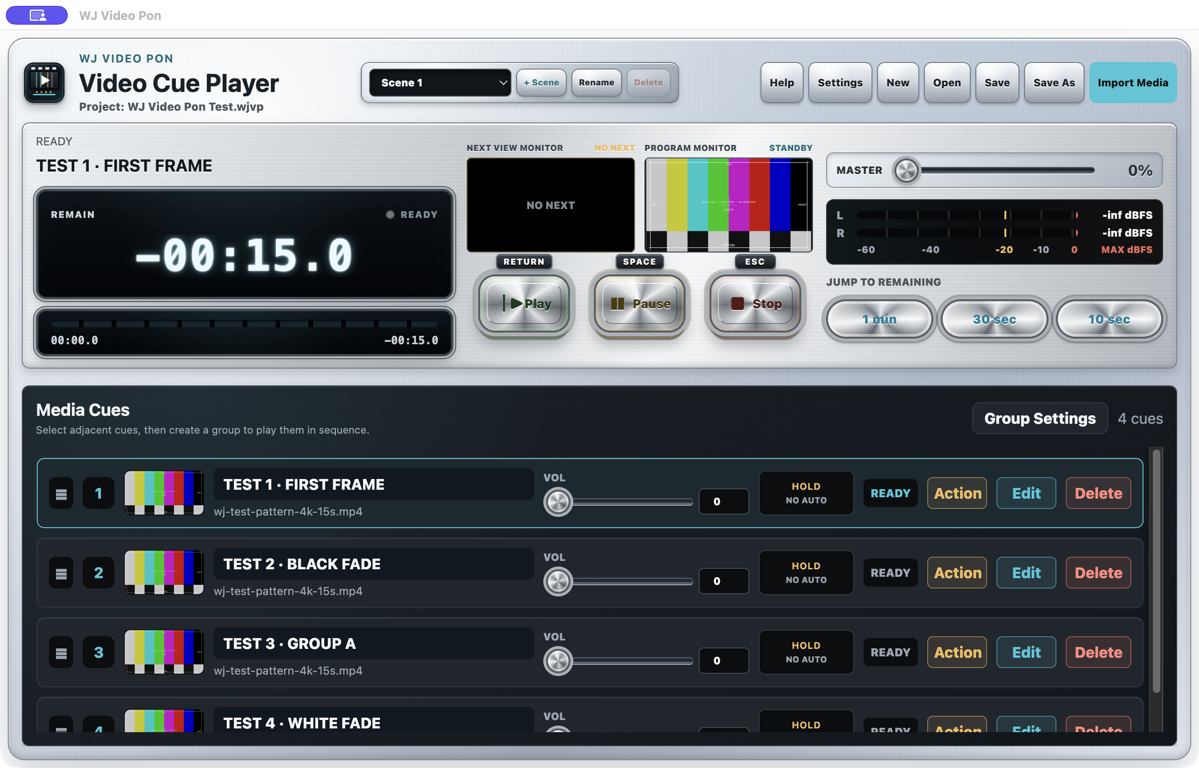
Switch named 4K video and still-image cue lists with Scene Memory. Version 1.2.9 places NEXT on the left and PROGRAM on the right, with the PROGRAM preview fixed to the control window while it moves.
LIVE PRODUCTION USE CASES
Prepare audio and video cues in show order, then trigger the right material at the right moment.
Run sound effects, scene-change music, opening video, and background visuals from prepared cue lists.
Keep walk-in music, stings, transition tracks, and opening videos ready for the operator.
Manage award sounds, speaker videos, logo stills, and holding visuals alongside the running order.
Loop booth media, prepare still images, and send clean video to an external display while controls stay on the Mac.
ACTUAL APP SCREENS
These are screenshots from the app in development, showing where the essential controls live during a show.
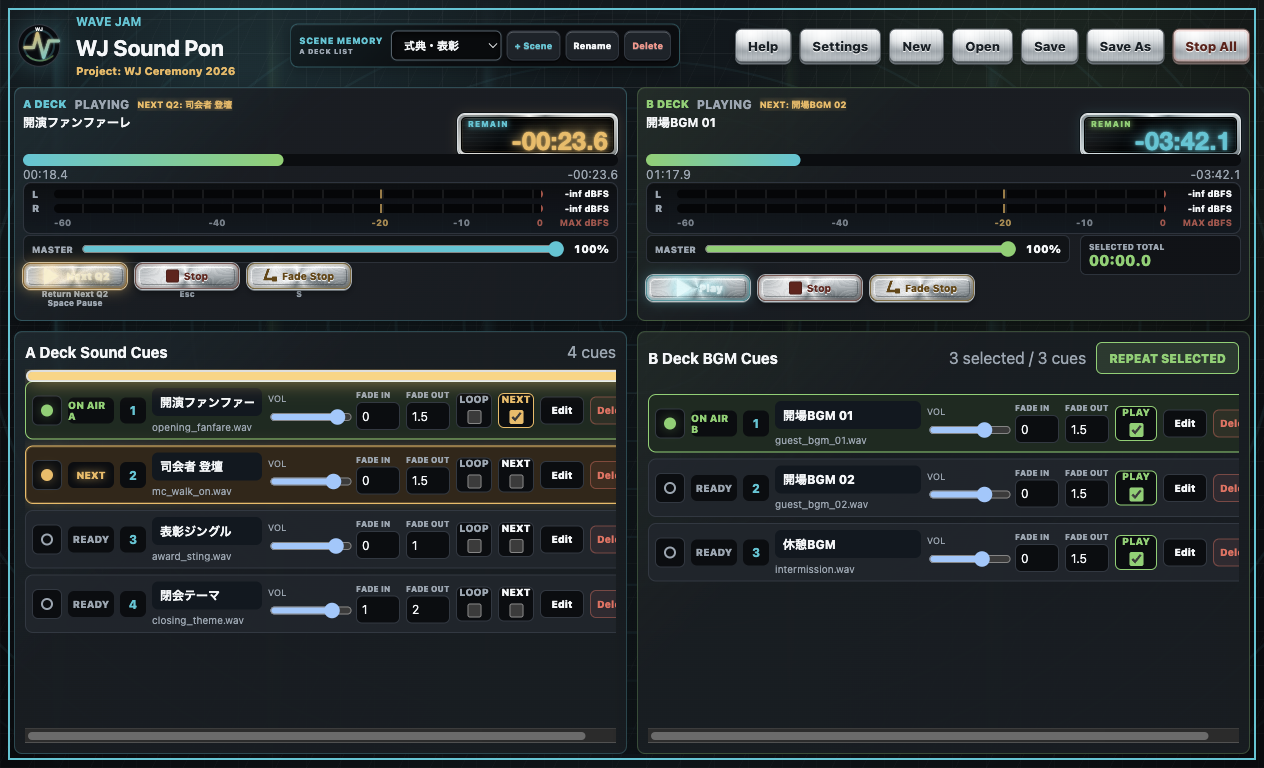
Click to enlargeRun effects on A and music on B from the same screen.
See remaining time, position, and stereo levels while operating.
LOOP and NEXT can stay enabled together. The current cue keeps looping while the following cue appears in orange, ready for Play or Return.
With NEXT enabled, Fade Stop leaves the following cue in READY. A normal Stop or Esc keeps the current cue selected.
Store named cue lists and switch the standby scene without stopping the current PROGRAM output.
After SELECT NEXT completes, the current cue holds in green and only the prepared cue is orange. Play or Return starts it.
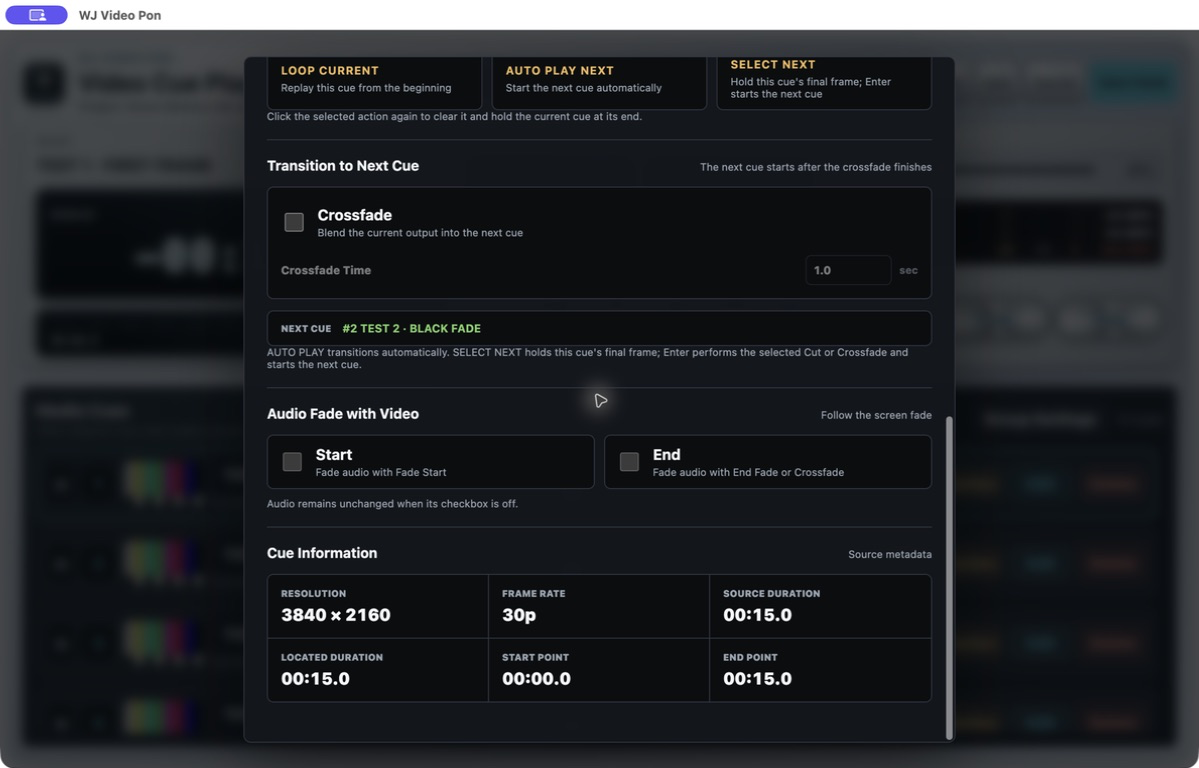
Monitor the prepared cue and live picture side by side. While the window moves, the PROGRAM preview stays attached to the interface and the actual external output continues.
Set start and end points, Stop, LOOP, AUTO, SELECT NEXT, CUT or crossfade, and audio for each cue.
Auto-advance stills with a countdown and include them in grouped cue sequences.
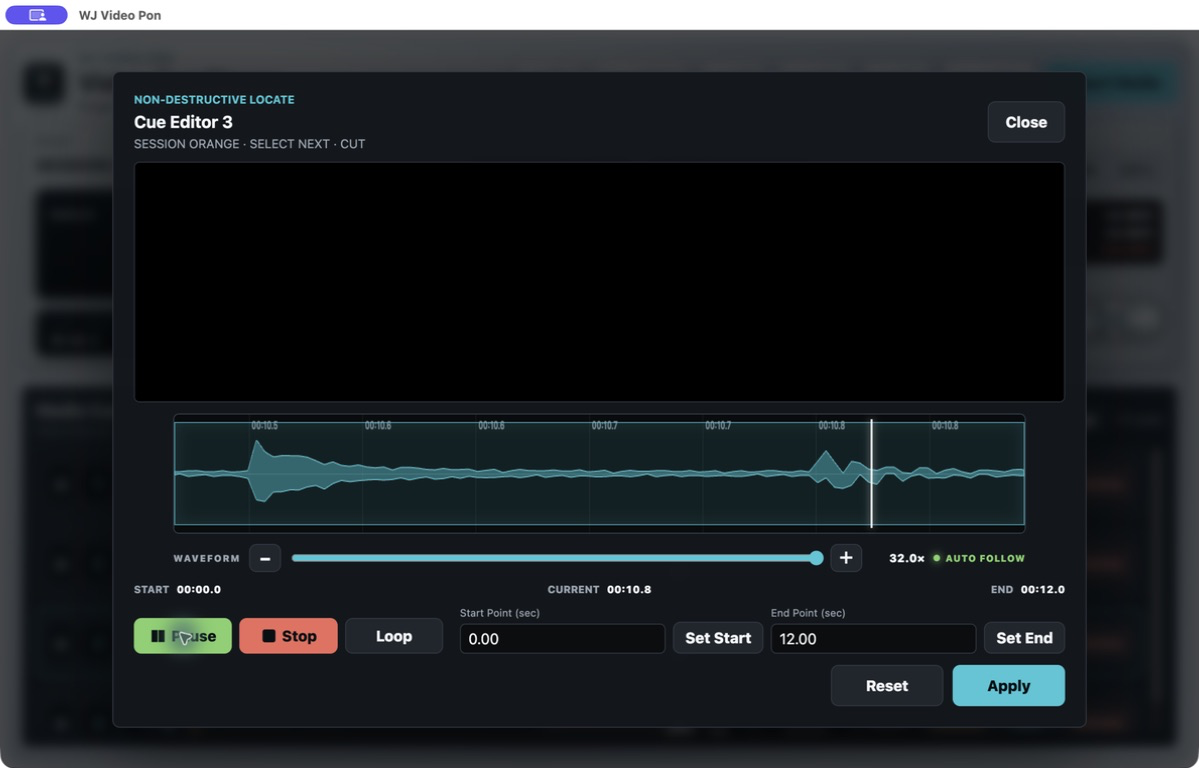
Align start and end points to visible sound events with 1×–32× waveform zoom.
The app keeps the Mac display awake while it runs and releases that state when it quits, without changing macOS settings.
These screenshots illustrate the current feature set. The latest releases are WJ Sound Pon Version 1.2.3 and WJ Video Pon Version 1.2.10. Some details may appear differently depending on the OS and display environment.
PRACTICAL CUE PLAYBACK GUIDES
Prepare media, route the output, rehearse cue behavior, and run the pre-show checks with actual WJ Pon screens.
Work through A/B decks, LOOP + NEXT, Scene Memory, and routing to production audio hardware.
Read the audio cue guidePrepare PROGRAM/NEXT, Action behavior, Scene Memory, and clean projector or display output.
Read the video playout guideBUILT FOR SHOW CONTROL
See the current state, remaining time, and next action at a glance.
Manage cue settings and media as one portable project.
Start without external equipment and configure outputs when connected.
Operation guides and shortcuts are available inside the apps.
SIMPLE ANNUAL LICENSE
Each product includes one license for one Mac. Each product offers a free Trial for three calendar months from the first Trial activation on this Mac. Test it with your own materials and equipment before purchasing.
There is no automatic renewal. The app starts showing an expiry notice ten days before the end date. Each license is issued for the unique Mac ID confirmed at purchase, and the license file is sent within 24 hours after payment and Mac ID confirmation. A license cannot be transferred or assigned to another Mac. If you replace your Mac, you will need to purchase a new license for its Mac ID. Renewals preserve remaining paid time: the new one-year term starts from the later of the current expiration date and the purchase date.
SYSTEM REQUIREMENTS
Use the free 3-month Trial with your own Mac, equipment, and media before purchasing.
WJ PON SERIES
PURCHASE / RENEW
The product and Mac ID confirmed by the app have been carried into this page. Review the details, then continue to Stripe’s secure external checkout.
Not availableA license cannot be transferred when replacing your Mac.If you renew before the current license expires, your remaining paid time is preserved. The new one-year term starts from the later of the current expiration date and the purchase date.
Payment details and the Mac ID are sent to WAVE JAM automatically. After confirmation, we email the license file to the address used for purchase within 24 hours.
ANNUAL LICENSES / NOW AVAILABLE
Annual licenses for WJ Sound Pon and WJ Video Pon are now available.
Base annual prices before tax: Sound JPY 2,000, Video JPY 10,000.
To purchase or renew, open “Purchase / Renew” from the corresponding app. The free 3-month Trial remains available.
Purchase or renew from the app so the correct Mac ID is linked automatically.
Download the 3-month TrialFAQ
Cue playback software lets an operator prepare sound, video, or still-image items in advance and play the required cue at the exact moment it is needed during a live production.
It can trigger prepared sound effects and music like a soundboard app, but its main workflow uses two cue-list decks rather than a grid of pads. Deck A handles single cues and NEXT standby; Deck B handles music and selected-track loops.
Yes. It supports 4K video together with JPG, JPEG, PNG, and HEIC still images. Stills can use timed auto advance with a countdown, cut or crossfade to the next cue, and participate in grouped cue sequences.
Yes. The control interface stays on the operator’s Mac while the selected external display shows full-screen video without the control screen.
WJ Sound Pon has separate Apple Silicon and Intel Mac builds for macOS 13 or later. WJ Video Pon requires an Apple Silicon Mac and macOS 12 or later.
Open “Purchase / Renew” from the corresponding app. The app links the correct Mac ID automatically. You can also download the 3-month Trial first and test it with your own Mac, equipment, and materials.
No. They are separate products and separate licenses, purchased individually from the corresponding app.
Base annual prices before tax are JPY 2,000 for Sound Pon and JPY 10,000 for Video Pon. The applicable tax and final total are shown in Stripe Checkout.
The remaining paid time is preserved. The new one-year term starts from the later of the current expiration date and the purchase date.
After the payment, sales territory, and applicable tax are verified, the license file is sent automatically to the registered email address. If it does not arrive within 24 hours, check your spam folder and contact us.
No. The apps notify you from ten days before expiry and provide a renewal link after expiry.
No. Test the replacement Mac with the Trial, then purchase a new annual license for its Mac ID.