
WJ SOUND PON / VERSION 1.2.3

Audio cue playback for Mac.

WJ Sound Pon is built for theatre, live events, ceremonies, exhibitions, and streaming. Scene Memory switches named A-deck lists while the current sound continues, with separate builds for Apple Silicon and Intel Macs.

ACTUAL SCREENS & FEATURES

Actual screens, with the key controls explained.

Screens are shown at a balanced size and grouped by feature for quick scanning.

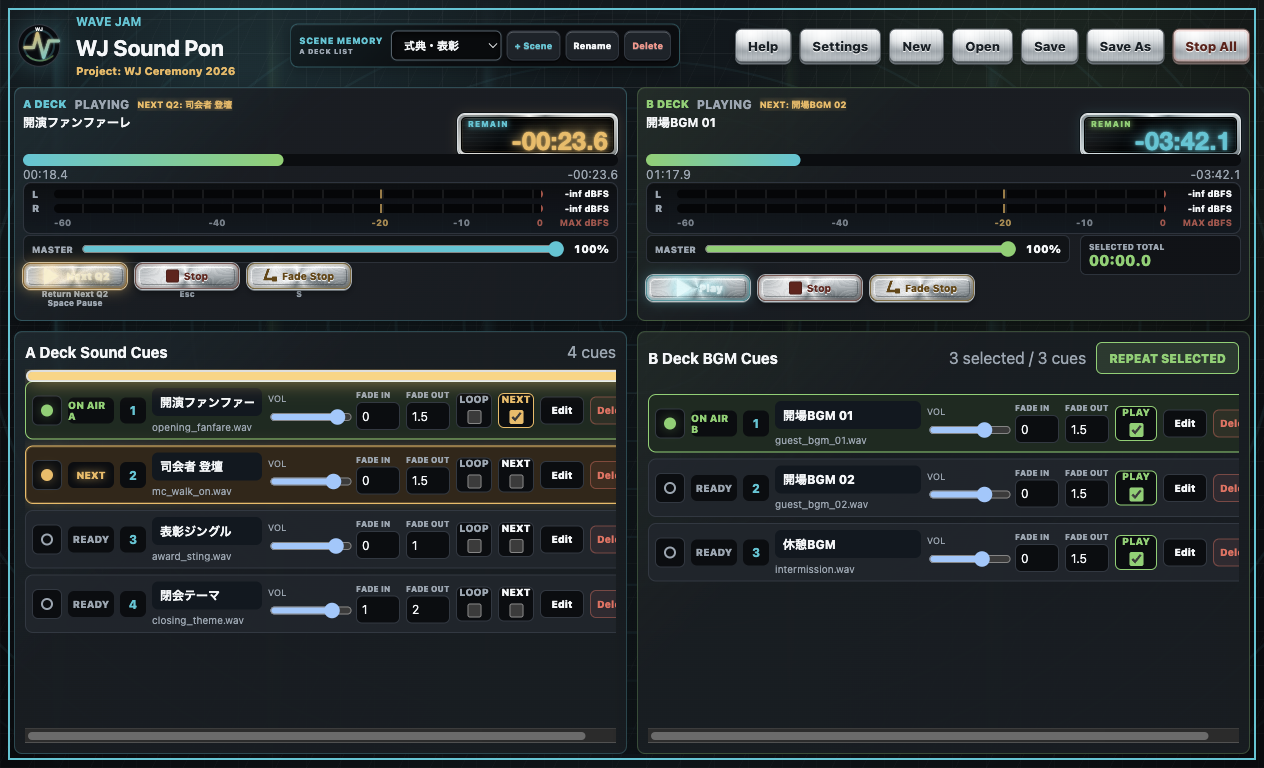
WJ Sound Pon Version 1.2.3 showing Scene Memory, the current cue, an orange NEXT cue, and both A/B decks

KEY CONTROLS

Switch show sections with Scene Memory

  • Named scenesStore a separate A-deck cue list for each show section and switch it from the drop-down.
  • Playback continuesChanging scenes while Deck A is playing changes only the standby list; the current sound keeps playing.
  • Insert anywhereDrop audio on the orange insertion line to place it at the start, between cues, or at the end.
  • LOOP + NEXTKeep the current cue looping, see the orange next cue, and start it with Play or Return.
  • Standby after stoppingWith NEXT enabled, Fade Stop leaves the following cue in READY; a normal Stop or Esc keeps the current cue selected.
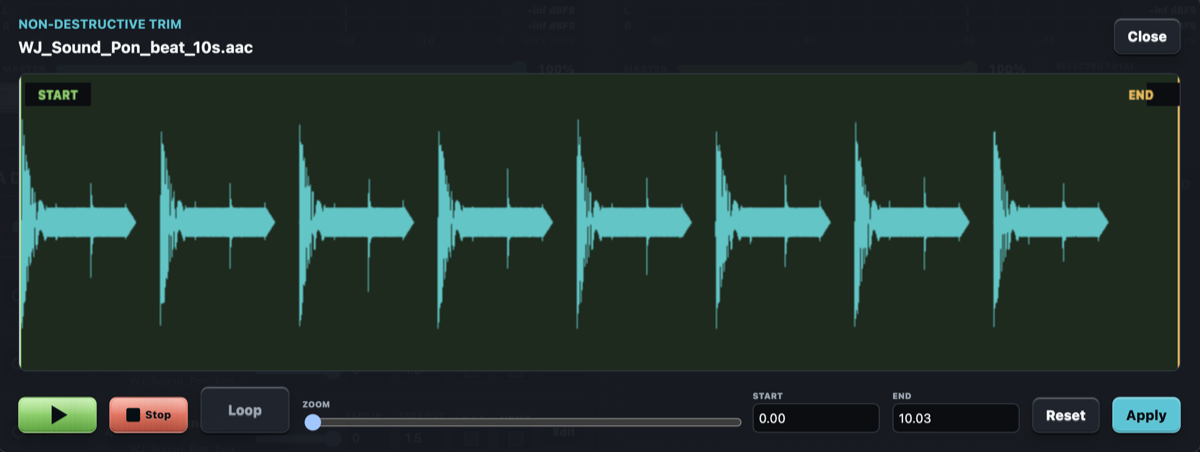
WJ Sound Pon waveform trimming screen

KEY CONTROLS

Set the usable range against the waveform

  • Audio waveformSee where the sound begins and ends while preparing the cue.
  • Start and end pointsDefine the range that should play without editing another copy of the audio.
  • Non-destructive setupThe source audio file remains unchanged; the range is stored with the project.
WJ Sound Pon Deck B music and selected-track loop controls

KEY CONTROLS

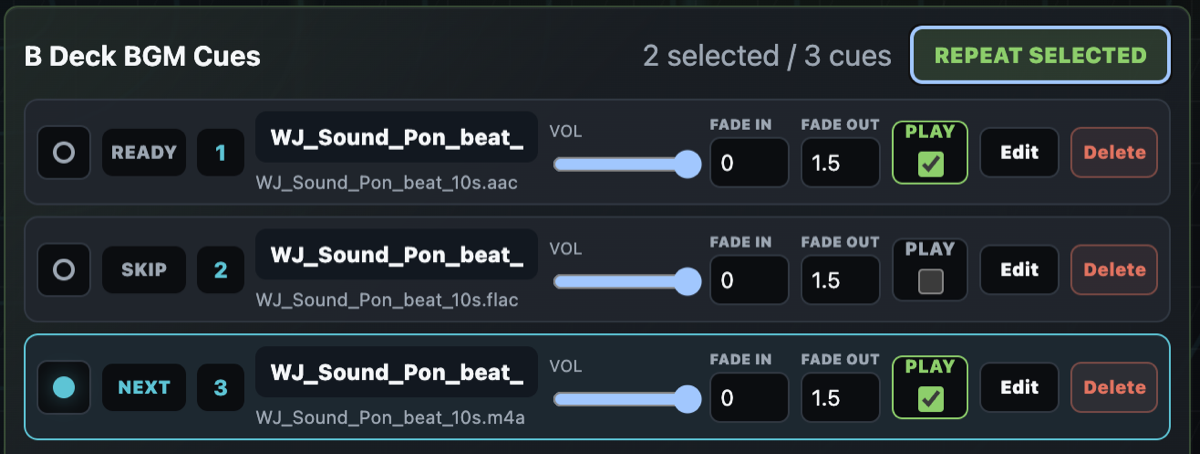
Deck B: music and selected-track loops

  • Independent A/B decksRun walk-in or background music separately from Deck A effects.
  • PLAY selectionChoose only the tracks that should participate in the repeating set.
  • REPEAT SELECTEDPlay the selected material in order and repeat the selection.
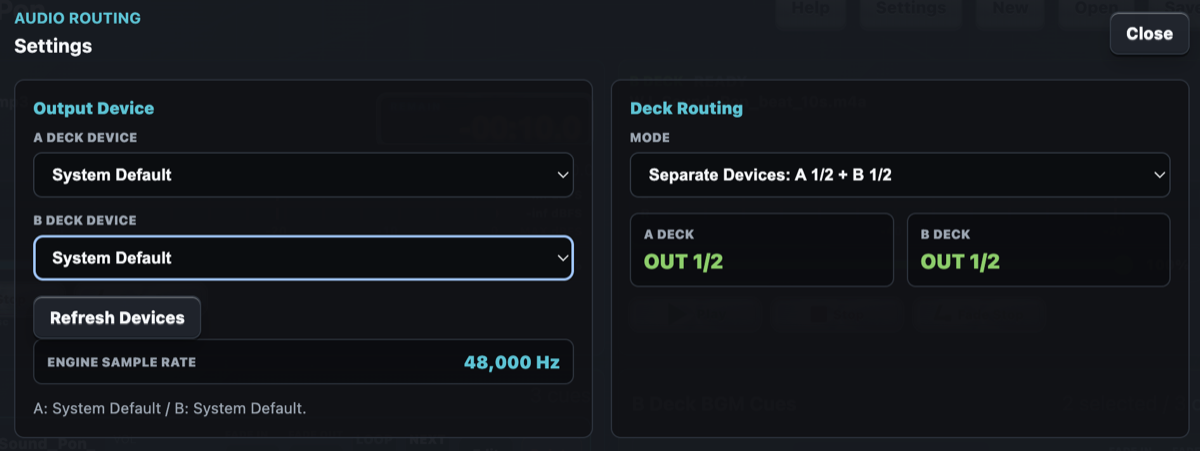
WJ Sound Pon audio output routing settings

KEY CONTROLS

Separate A/B output routing

  • Deck A outputChoose the device and channels used for the sound-effect deck.
  • Deck B outputRoute the music deck to another stereo pair for four-channel operation.
  • Engine statusConfirm the connected hardware and engine sample rate in the same window.

License identification independent of the network

In Version 1.2.2, the license Mac ID no longer depends on Wi-Fi or the Mac hostname. Existing licenses created with the previous method migrate safely on the same Mac.

AUDIO CUE USE CASES

A cue-list workflow for live sound.

WJ Sound Pon can trigger prepared sound effects like a soundboard app, but its main workflow uses two ordered cue-list decks rather than a grid of pads.

Theatre sound cues

Prepare effects, scene-change music, and announcement cues in show order, with the next item visible before it is played.

Live-event stings and walk-in music

Keep short stings on one deck while independently running walk-in or interval music on the other.

Ceremonies and conferences

Run award sounds, speaker walk-ons, presentation music, and other scheduled audio from a clear operator screen.

Audio consoles and external interfaces

Send Deck A and Deck B to separate channels on compatible hardware and confirm the real venue setup with the Trial.

SYSTEM REQUIREMENTS

Test it with your Mac and audio system.

Separate Apple Silicon and Intel builds are available. Use the 3-month Trial with the same Mac, audio device, routing, and files planned for the show.

MACApple Silicon or Intel
OSmacOS 13 Ventura or later
OUTPUTBuilt-in or external audio hardware
FILESMP3 / WAV / M4A / AAC / FLAC / OGG
RECOMMENDEDWAV PCM, 44.1 or 48 kHz, 16-bit stereo
VERSION1.2.3

LICENSE & TRIAL

Confirm the complete workflow before purchasing.

The free Trial lasts for three calendar months from the first Trial activation for each product on each Mac. Updating preserves the original start date and time. The annual base price is JPY 2,000 before tax for one Mac. Purchase or renew from “Purchase / Renew” in the app so the correct Mac ID is linked automatically.

TRIAL3 months free
LICENSE1 Mac / 1 year
ANNUAL BASE PRICEJPY 2,000 before tax