Playback
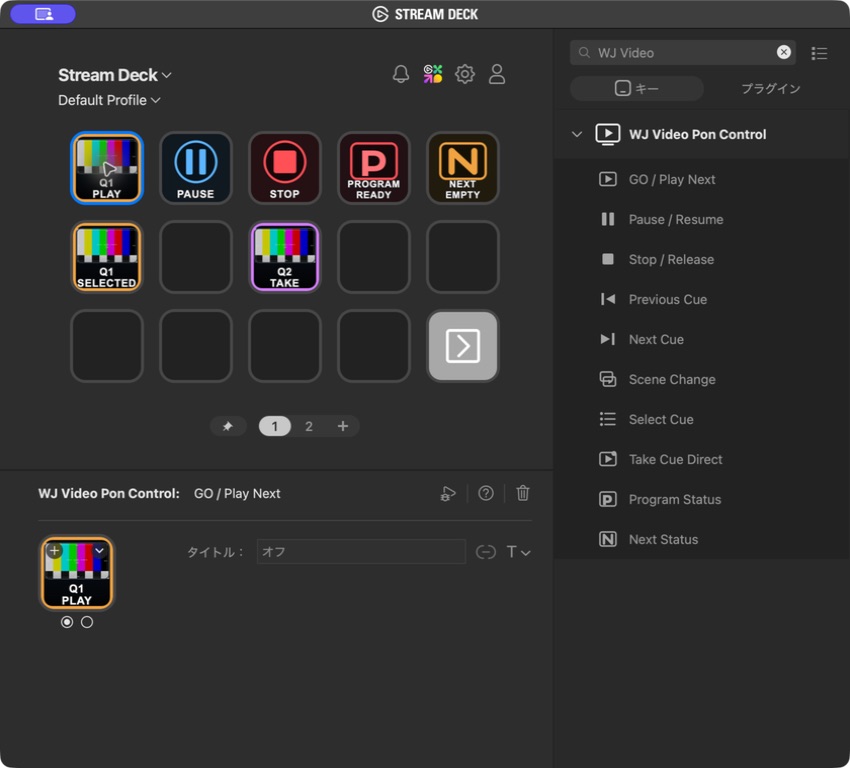
- GO / Play Next
Play the selected cue or take the prepared NEXT cue to PROGRAM - Pause / Resume
Pause or resume the current PROGRAM - Stop / Release
Stop PROGRAM, or release a held still image or final frame
PUBLIC BETA / STREAM DECK PLUGIN 0.1.0
Assign GO, pause, stop, scene changes, cue selection, and direct takes from official WJ Video Pon 1.2.10 to Stream Deck keys, with PROGRAM/NEXT status and video thumbnails. The plugin is a free Public Beta.
10 ACTIONS
Previous and Next Cue move standby selection without changing PROGRAM. Direct Take sends its configured cue straight to PROGRAM. Set a Scene or cue target individually for each supported key.
Take Cue Direct goes on air as soon as you press it. Place the key where it cannot be triggered accidentally.
PROGRAM / NEXT AT A GLANCE
Program Status identifies states such as READY, PLAYING, PAUSED, STILL, HOLD, and TRANSITION, together with remaining time. Next Status identifies the cue prepared to play next.
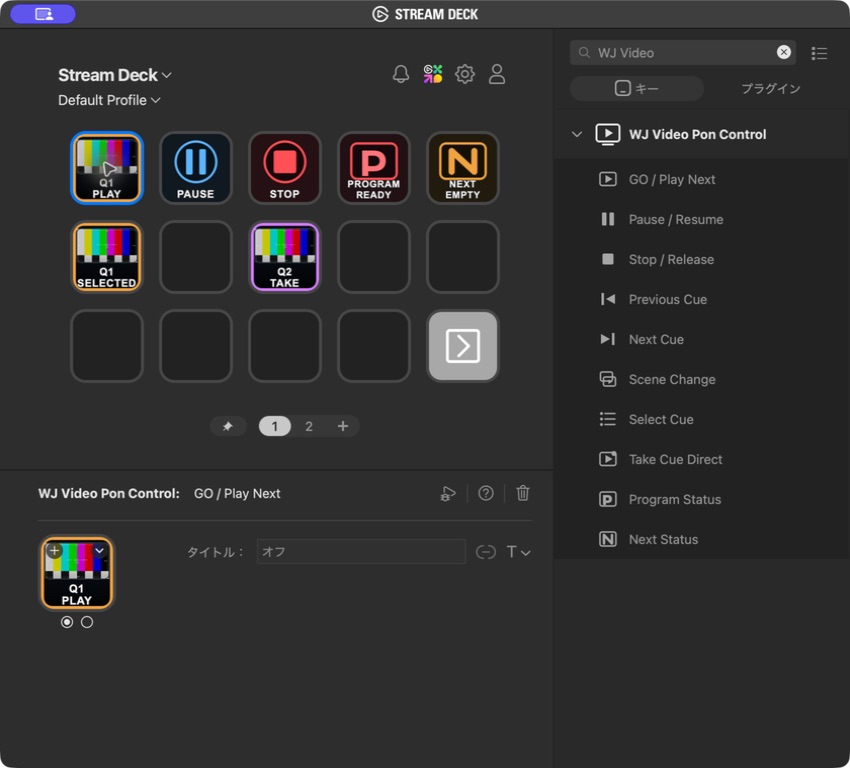
When the app can provide a thumbnail, the plugin places the full 16:9 image above the key label. It preserves the image proportions instead of stretching it vertically or cropping it to a square, then adds a high-contrast frame for the current state.
INSTALLATION
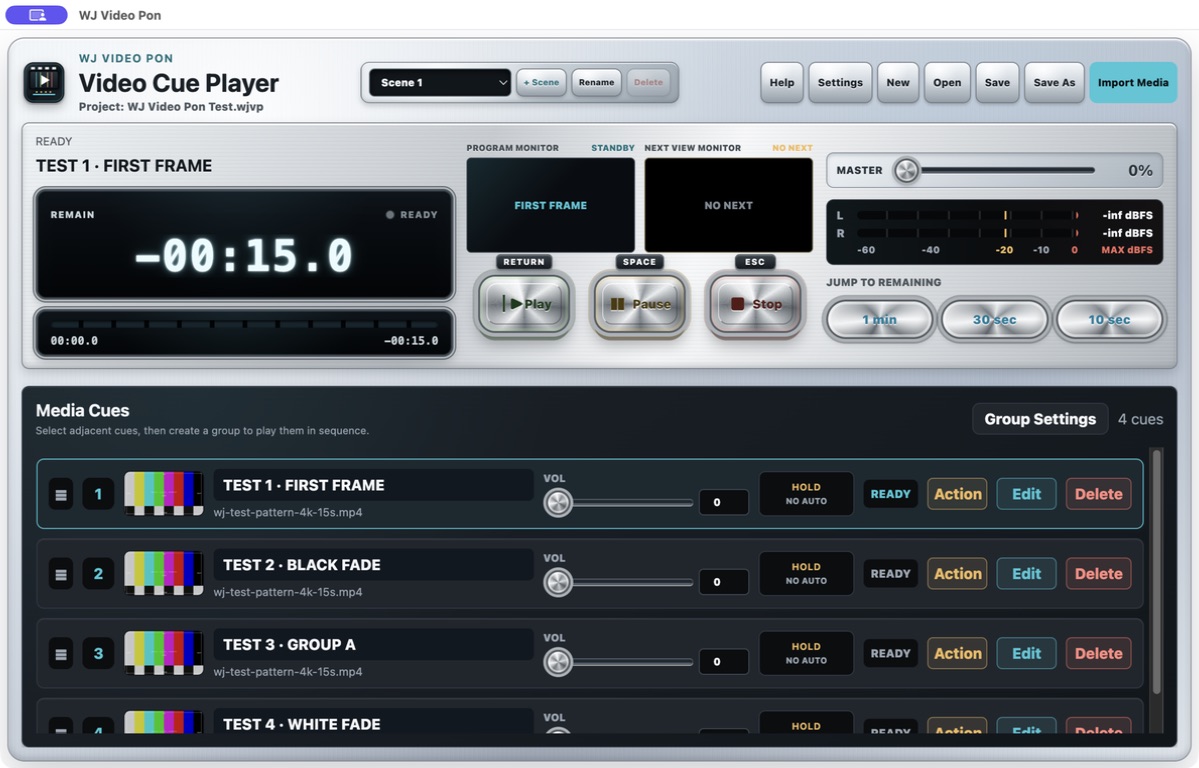
The app itself supports Apple Silicon Macs with macOS 12 or later. Stream Deck integration requires macOS 13 or later and Stream Deck 7.1 or later.
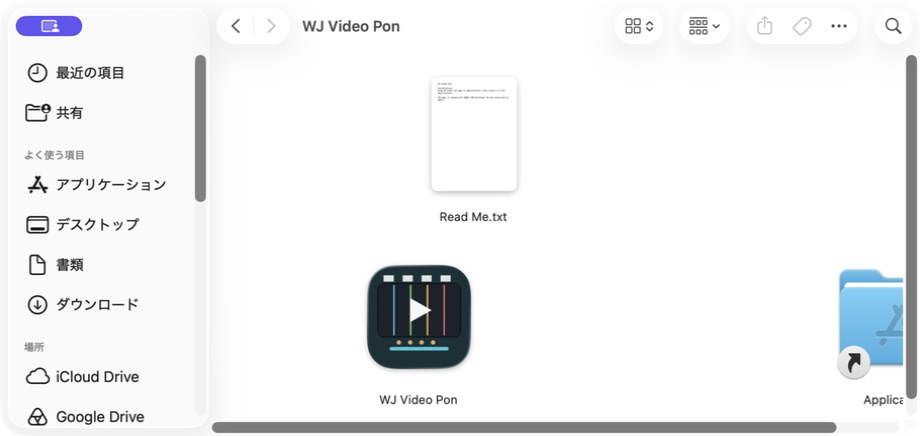
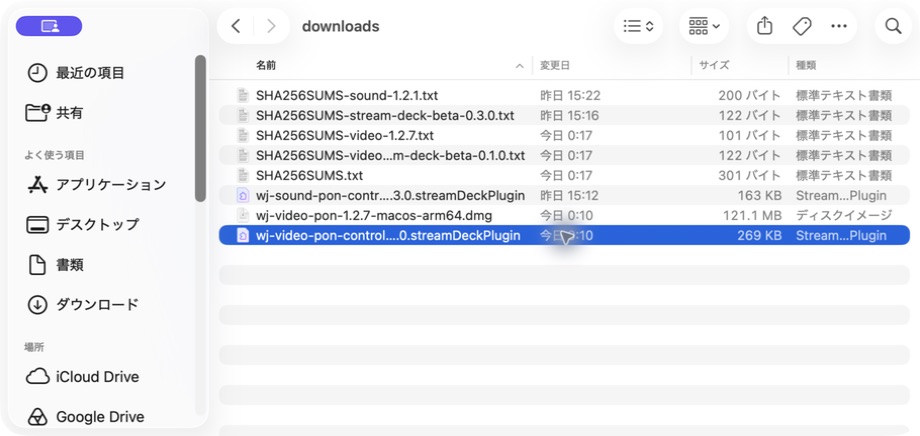
Open the DMG and drag WJ Video Pon into Applications. When updating an older version, choose Replace if macOS asks.
Double-click the downloaded .streamDeckPlugin file and approve the installation in Stream Deck. “WJ Video Pon Control” then appears in the action list.
Launch official WJ Video Pon 1.2.10 and open a project, then drag actions from Stream Deck onto keys. A key shows OPEN WJ when the app is closed and OPEN APP while its start screen is open.
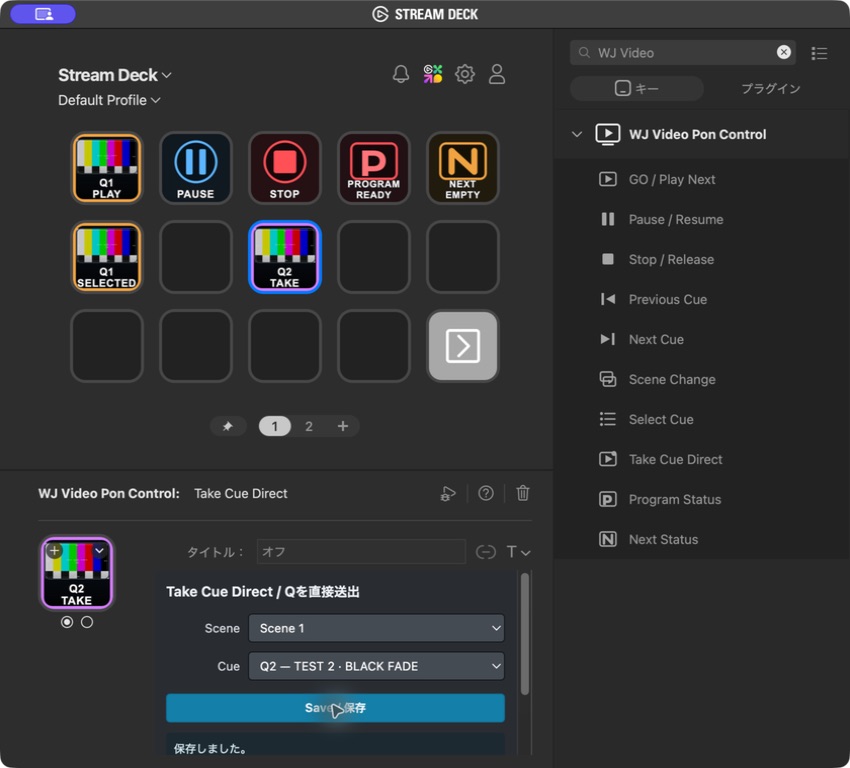
For Scene Change, choose the target Scene. For Select Cue and Take Cue Direct, choose a Scene and cue. Each key stores its settings in the Stream Deck profile.
BEFORE YOU USE THE BETA
Install official WJ Video Pon 1.2.7 or later through the normal download route. The app continues to work normally without the plugin installed.
The Stream Deck plugin is free. Use the WJ Video Pon app with its standard 3-month Trial or a product license.
If you need more key space, use Stream Deck’s built-in page navigation or folders. This plugin does not duplicate those features with a dedicated Next Page action.
Action placement, saved settings, all ten commands, Scene changes, cue selection and direct take, status, and thumbnail display have been checked. Long-duration testing with physical keys is ongoing, so test thoroughly and prepare a fallback control method before live use.
DOWNLOAD PUBLIC BETA
WJ Video Pon is an official release signed with Developer ID and notarized by Apple. Only Stream Deck plugin 0.1.0 is distributed free as a Public Beta. If you already use official WJ Video Pon 1.2.10, you only need to add the plugin. Plugin 0.1.0 supports WJ Video Pon 1.2.7 and later.
Stream Deck and Elgato are trademarks of their respective owners. This Public Beta is independently provided by WAVE JAM.